Monday, 25 April 2011

Sunday, 16 January 2011
Saturday, 11 September 2010
snowboarding NZ

Besides winnebagos, hedges and sheep New Zealand has some really cool places to snowboard. As doing this trip for the second time round i think i have nearly perfected the NZ snow trip.
We had 3 people on the first trip (2008) and 6 people on this one. The saying is true “the more the merrier” however you may struggle to get everyone doing the same thing or up the mountain together.
ground work.
Itinerary
Fri 13th – Sydney – Christchurch (19:50 – 0:50AM JQ 151)
Sat 14th – christchurch – pick up snow hire / town
Sun 15th – Christchurch to Wanaka
Mon 16th – wanaka : cardrona (snow park)
Tue 17th – wanaka : treble cone (snow park)
Wed 18th – wanaka : treble cone (snow park)
Thu 19th – queenstown : the remarkables (snow park)
Fri 20th – queenstown : coronet peak (snow park)
Sat 21st – queenstown : the remarkables (snow park)
Sun 22nd – queenstown – christchurch / drop off snow hire
Mon 23rd – Christchurch – Wellington (14:45 – 15:35 JQ 268)
Tue 24th – wellington – rotorua (via Lake Taupo)
Wed 25th – rotorua – auckland
Thu 26th – auckland
Fri 27th – auckland
Sat 28th – Auckland – Sydney (15:25 – 17:05 JQ 204)
Car rental
Getting to and from the airport we used a hire a car from Hertz and Avis. In New Zealand we drove from Christchurch to Wanaka then to Queenstown using the ski package with Hertz which gives you one free lift pass per each day you hire the car. sweet as bro.
If you can try and get the AWD package, when we hired we missed out cause we left it too late to book, this will ensure you don’t need to put on chains when driving up the mountains on icy days.
Flights
We flew between Australia and New Zealand using jetstar
Accommodation
wotif was used to book the accommodation in NZ and all places were pretty good except in auckland where we got a futon for one of the beds which was also the lounge to watch TV. either book a bed for everyone in multiple rooms or be prepared to “take one for the team” every now and then (looking back, we did get some funny stories because of it!)
also if you are to use wotif they only release accommodation so many weeks in advance so do your research and get in when the rooms become available to avoid disappointment.
The following accommodation was chosen for each city.
Christchurch YHA
Was pretty happy with the YHA. Good location good facilities would book there again.
Was pretty happy with the YHA. Good location good facilities would book there again.
Brookvale Motel
would also book here again, walking distance from everything in Wanaka, nice rooms etc. Only thing was internet and the hot tub had to be paid for.
would also book here again, walking distance from everything in Wanaka, nice rooms etc. Only thing was internet and the hot tub had to be paid for.
Coronet View Deluxe B&B and Apartments
reasonably close to central queenstown, would consider going back there if it was booked under someone else’s name (“,)
reasonably close to central queenstown, would consider going back there if it was booked under someone else’s name (“,)
Quest Atrium (Penthouse)
nice hotel and good facilities however just a bit far out of town. I would look at booking something walking distance from cuba street next time.
nice hotel and good facilities however just a bit far out of town. I would look at booking something walking distance from cuba street next time.
Utuhina Hot Springs Lodge
considering the city smells like rotten eggs this place was OK if you like sleeping at your grandmas house. there could be some better places to stay but it had all of the things you need.
considering the city smells like rotten eggs this place was OK if you like sleeping at your grandmas house. there could be some better places to stay but it had all of the things you need.
Bianco off Queen
staff here was not as friendly as other places stayed and it was such an effort to get a mattress instead of the futon since they are rented out furnished apartments, probably would look at booking somewhere else next time.

staff here was not as friendly as other places stayed and it was such an effort to get a mattress instead of the futon since they are rented out furnished apartments, probably would look at booking somewhere else next time.

on the ground.
$$$$$
As always i find the best way to manage money in another country is just by working out the currency difference from a currency exchange and withdrawing it using a visa card from an ATM, you do end up paying a cash fee but the convenience is soo good!
Getting around
Since we had a hire car for the entire trip getting around was easy. I would recommend it since you get to see a lot more of NZ then if you had to rely on public transport or other people.
Snowboard hire
After checking out a few places to hire snow gear in Christchurch we ended up getting it frommcewings. I would recommend going straight here since they seem to have the latest gear and pretty much brand new! All the other places to be honest were quite rubbish.
Things to see and do
Below is a list of things that we did or would have liked to do, there could be better stuff to do at each place but this gives you an idea.
Christchurch
We found there wasn’t much to do in Christchurch for sight seeing (probably more so now since the earthquake) but the nightlife was pretty sweet. If your going out to party check out SOL Square
Wanaka
Queenstown
Wellington
Wellington was a nice city (i would say it is like Melbourne or San Francisco) we were only there for 1 night and it was a Monday so i could not really say what there was to see or do.
Rotorua
Auckland
Auckland is yet another large city (similar to Sydney) there is a few things recommend such as the sky jump or sky walk.
Cost
Note the below prices were split between 6 people but is calculated per person.
Flights to/from Australia = $289AUD (Jetstar)
Connecting flights = $40AUD (Jetstar)
Accommodation = $661AUD (all places listed above)
Car Hire = $513AUD (including 3 lift passes for the snow fields) + Fuel (Hertz)
Connecting flights = $40AUD (Jetstar)
Accommodation = $661AUD (all places listed above)
Car Hire = $513AUD (including 3 lift passes for the snow fields) + Fuel (Hertz)
Food
Pretty much the same price as Australia. Food on the ski mountains is quite expensive, I would recommend going to a supermarket and buying nut bars or something to snack on while your up there.
Snowboarding
Snowboard and boots hire for 9 days: $177 NZ
Mountain pass for Treblecone: $ 91 NZ
Mountain pass for Remarkables: $89 NZ
Mountain pass for Cardrona: $89 NZ
Mountain pass for Coronet Peak: $$95 NZ
Mountain pass for Treblecone: $ 91 NZ
Mountain pass for Remarkables: $89 NZ
Mountain pass for Cardrona: $89 NZ
Mountain pass for Coronet Peak: $$95 NZ
Misc
Zorbing (3 rides): $96 NZ
Thermal park: $30 NZ
Maori dinner + show: $100 NZ
Thermal park: $30 NZ
Maori dinner + show: $100 NZ
APPROX TOTAL PRICE = 2 Aussie G’s ($2000) + spending money ($1000 for food, partying and random expenses).
Final words.
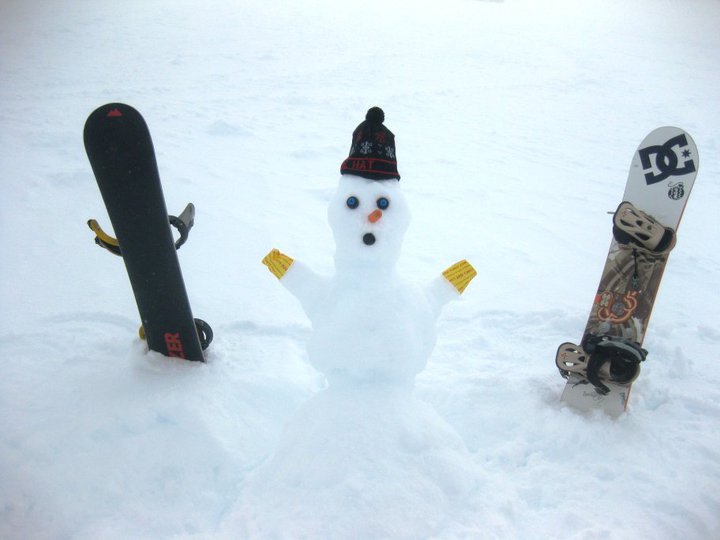
If you’re keen to do a snow trip which is close to OZ but still feels like a holiday i would recommend NZ for sure. I would probably skip driving from Wellington to Rotorua if i went again since it was alot of driving for seeing not a lot. Time frame was definitely squeezed, if your after a slower paced one maybe double the time, fly or skip parts. All in all definitely a memorable holiday! Click the below link for pictures from the holiday!
facebook event for the trip
Tuesday, 10 August 2010
DJ ND – Funky Sounds Mix Tape (AUG 2010)

Bit of a funky treat for some afternoon chill-out sessions or something a bit lazy with a Mighty Boosh spin! enjoy!
Download Link: here
Tracklisting
001 – The Funk intro
002 – People Dont Dance – The Rapture
003 – Sunshine Boogie [Original Mix] – Featurecast
004 – Bring the Beat Back [Original Mix] – Calagad13
005 – So Damn Fresh [Original Mix] – Nick Fonkynson
006 – Insight [A Skillz Mix] – Fort Knox Five
007 – Drunk on the Funk [Original Mix] – Neighbour
008 – Slingshot Boogie [Featurecast Mix] – All Good Funk Alliance
009 – Funky Sounds – Beat Vandals Vs A.Skillz
010 – The Fk Strut – Fort Knox Five
011 – Party People – Nick Thayer & Will Styles
012 – Booty Snax – A.skillz and Nick Thayer
013 – The Wonder Strikes Again – Fort Knox Five
014 – Duppy Conqueror [Fort Knox five Mix] – Bob Marley and the Wailers
015 – Tricka Technology [Radio Edit] – A. Skillz & Krafty Kuts
016 – Radio Free D.C [A Skillz and Krafty Kutz] – Fort Knox Five
017 – Its a Booty – Krafty Skillz
018 – Bonkers Nick Thayer and DJ Yo – Dizzee Rascal
019 – Blowin Up – A.Skillz Vs Beat Vandals
020 – Dr. Funk – Sidechains
021 – Happiness – A Skillz Feat Krafty Kuts
022 – Boyfriend [Dcup mix] – Killa Queenz
023 – The Spirit of 75 [Qdup Mix] – Fort Knox Five Feat. Mustafa A
024 – Get Up Off That Thing [Featurecast Edit] – James Brown
025 – Wheres My Money [Hip Hip to Dubstep Re Dub] – Featurecast
026 – Gold Dust Flux [Pavilion mix] – DJ Fresh
Tuesday, 3 August 2010
how to configure Microsoft Network Policy Server with Cisco router using RADIUS
I couldn’t find anyone who has done this previously on the internet so i decided to write my own guide to hopefully save someone else some time and effort. I did however find a few pages which helped in the process of setting this up which are listed below.
Before you begin.
OK so assuming you already have Microsoft Network Policy Server installed on a Win2k8 server and your Cisco device up and running and ready to be configured for AAA (RADIUS authentication) the following steps will guide you though setting up both devices to talk to each other.
I have modified some of public IP addresses in this guide for security reasons
Configuring Cisco Router.
The below is the required configuration on your Cisco device to enable RADIUS authentication. 172.27.109.245 is the IP address of the Network Policy Server. You can set your radius-server key using #radius-server key 0
#aaa authentication login userauthen group radius local
#radius-server host 172.27.109.245 auth-port 1645 acct-port 1646
#radius-server key 7
#aaa authentication login userauthen group radius localradius-server host 172.27.109.245 auth-port 1645 acct-port 1646radius-server key 7
Configuring NPS.

To configure Microsoft Network Policy Server open up NPS (Administrative Tools –> NPS)Right Click RADIUS Clients and Select “New”

Enter your Cisco router details. Address is the IP address of your Cisco Router. Shared Secret is the same key used in #radius-server key 0

Keep all the defaults on the Advanced tab.

Create a new Connection Request Policy (Right click New)

Configure you Policy name and set the type of network access server to “Unspecified”

Set your conditions to be NAS IPv4 Address where the address is the IP of your Cisco Router (this means NPS will only allow connection requests from the values in the conditions)

Keep all settings as default

Create a Network Policy which will permit users in a specific windows group to be allowed to authenticate via RADIUS
Set the Type of network access server to be “Unspecified”

Set your conditions to be a Windows Group where the Windows group is the group of users you wish to permit authentication against RADIUS

Set the Constraints to use only the less secure method of “Unencrypted authentication (PAP,SPAP)”
This authenticated method is definitely less secure than what else is available. You should only allow this kind of authentication to traverse a private network segment. I know some people maybe thinking “I want my authentication requests sent across the wire in a more secure fashion? ~ this was the only way i could get NPS to authenticate RADIUS requests. If this method does not meet your security requirements you may need to look at an alternate method)

Keep all settings to be the defaults

Thats pretty much it! I have also included a grab of a user in Active Directory which has their account setup correctly.
A couple of things to note is on the “Dial-in” tab make sure that the radio button is on “Control access through NPS Network Policy” and you have registered your NPS in active directory (from NPS right click NPS (LOCAL) –> Register server in Active Directory)

Troubleshooting.
Cisco Router
Enable Debugging on your Cisco router and turn logging onto your terminal
#debug aaa authentication
#debug radius
#term mon (#no term mon ~ to turn off)
The below is an output of a successful authentication request to Microsoft NPS
002958: Jul 28 15:48:11.440 AEST: AAA/AUTHEN/LOGIN (00000058): Pick method list 'userauthen'
002959: Jul 28 15:48:11.440 AEST: RADIUS/ENCODE(00000058):Orig. component type = VPN_IPSEC
002960: Jul 28 15:48:11.440 AEST: RADIUS: AAA Unsupported Attr: interface [158] 13
002961: Jul 28 15:48:11.440 AEST: RADIUS: 31 36 35 2E 32 32 38 2E 32 30 2E [165.228.20.]
002962: Jul 28 15:48:11.444 AEST: RADIUS/ENCODE(00000058): dropping service type, "radius-server attribute 6 on-for-login-auth" is off
002963: Jul 28 15:48:11.444 AEST: RADIUS(00000058): Config NAS IP: 0.0.0.0
002964: Jul 28 15:48:11.444 AEST: RADIUS/ENCODE(00000058): acct_session_id: 84
002965: Jul 28 15:48:11.444 AEST: RADIUS(00000058): sending
002966: Jul 28 15:48:11.444 AEST: RADIUS/ENCODE: Best Local IP-Address 172.27.109.253 for Radius-Server 172.27.109.245
002967: Jul 28 15:48:11.444 AEST: RADIUS(00000058): Send Access-Request to 172.27.109.245:1645 id 1645/63, len 99
002968: Jul 28 15:48:11.444 AEST: RADIUS: authenticator 70 A4 A4 25 56 F0 3A 08 - E8 29 C9 07 9F 4A ED F6
002969: Jul 28 15:48:11.444 AEST: RADIUS: User-Name [1] 12 "admin"
002970: Jul 28 15:48:11.444 AEST: RADIUS: User-Password [2] 18 *
002971: Jul 28 15:48:11.444 AEST: RADIUS: Calling-Station-Id [31] 16 "CISCO VPN CLIENT PUBLIC IP ADDRESS"
002972: Jul 28 15:48:11.444 AEST: RADIUS: NAS-Port-Type [61] 6 Virtual [5]
002973: Jul 28 15:48:11.444 AEST: RADIUS: NAS-Port [5] 6 0
002974: Jul 28 15:48:11.444 AEST: RADIUS: NAS-Port-Id [87] 15 "PUBLIC IP ADDRESS OF CISCO ROUTER"
002975: Jul 28 15:48:11.444 AEST: RADIUS: NAS-IP-Address [4] 6 172.27.109.253
002976: Jul 28 15:48:11.452 AEST: RADIUS: Received from id 1645/63 172.27.109.245:1645, Access-Accept, len 102
002977: Jul 28 15:48:11.452 AEST: RADIUS: authenticator 6B F9 1F 36 C1 C8 8A B8 - EA 53 75 3B 40 C9 6F B2
002978: Jul 28 15:48:11.452 AEST: RADIUS: Framed-Protocol [7] 6 PPP [1]
002979: Jul 28 15:48:11.452 AEST: RADIUS: Service-Type [6] 6 Framed [2]
002980: Jul 28 15:48:11.452 AEST: RADIUS: Class [25] 46
002981: Jul 28 15:48:11.452 AEST: RADIUS: D5 70 0A C8 00 00 01 37 00 01 02 00 AC 1B 6D F5 [?p?????7??????m?]
002982: Jul 28 15:48:11.452 AEST: RADIUS: 00 00 00 00 C8 EE 6F C3 4D B6 14 82 01 CB 2E 14 [??????o?M?????.?]
002983: Jul 28 15:48:11.452 AEST: RADIUS: A5 E3 53 E2 00 00 00 00 00 00 00 17 [??S?????????]
002984: Jul 28 15:48:11.452 AEST: RADIUS: Vendor, Microsoft [26] 12
002985: Jul 28 15:48:11.452 AEST: RADIUS: MS-Link-Util-Thresh[14] 6
002986: Jul 28 15:48:11.452 AEST: RADIUS: 00 00 00 32 [???2]
002987: Jul 28 15:48:11.452 AEST: RADIUS: Vendor, Microsoft [26] 12
002988: Jul 28 15:48:11.452 AEST: RADIUS: MS-Link-Drop-Time-L[15] 6
002989: Jul 28 15:48:11.452 AEST: RADIUS: 00 00 00 78 [???x]
002990: Jul 28 15:48:11.456 AEST: RADIUS(00000058): Received from id 1645/63
002991: Jul 28 15:48:11.456 AEST: RADIUS: Constructed " ppp negotiate"
Microsoft NPS
I had issues reading the original IAS formatted logs as per the below
C:\Windows\System32\LogFiles\iaslog.log (not sure if this is the original path to the log)

172.27.109.253,admin,07/28/2010,15:53:03,IAS,BADC02,31,1.1.1.1,61,5,5,0,87,1.1.1.2,4,172.27.109.253,4108,172.27.109.253,4116,0,4128,Cisco Router,4154,NAS IP,4155,1,4129,BA\admin,4127,1,4149,default,25,311 1 172.27.109.245 07/28/2010 05:20:52 24,8136,1,8153,0,8111,0,4130,ba/Users/admin,4136,1,4142,0

172.27.109.253,admin,07/28/2010,15:53:03,IAS,BADC02,25,311 1 172.27.109.245 07/28/2010 05:20:52 24,8153,0,8111,0,4130,ba/Users/admin,4294967209,120,4294967210,50,4108,172.27.109.253,4116,0,4128,Cisco Router,4154,NAS IP,4155,1,4129,BA\admin,4127,1,4149,default,8136,1,7,1,6,2,4136,2,4142,0
So i installed the below tool which made it easier to read! IAS LOG VIEWER v2.67 by Deepsoftware (http://www.deepsoftware.ru/iasviewer/)


Subscribe to:
Posts (Atom)
Exploring the Wonders of East Asia: A 14-Day Japan & South Korea Discovery
The Westerdam sets sail from Yokohama for a 14-day voyage that balances iconic cityscapes with hidden coastal gems. While many travelers s...

-
 Recently upgraded to Windows 10 and noticed there was no driver available for the Belkin F5U257 USB to serial adapter on the below official ...
-
I found my Merlin 430R roller door wireless remote playing up after a couple of years. It intermittently would not receive the wirel...
-
 The Microsoft Surface 2 is an ARM32 based tablet which is largely defunct for many reasons which you can read all about online. The aim was ...
