Wednesday, 13 July 2011

UNIX sudo guide for setting up restricted access for user accounts

another thing i was looking to setup quickly but couldn’t find anyone else with examples on the web was restricted sudo access. The below links are good examples of sudo however don’t seem to think about the implications of allowing users to have access to the passwd command. If your wondering what sudo is click here!

Most people who know sudo know the usual ALL=(ALL) ALL in the sudoers file. Its actually possible to give restricted sudo access to commands based on user / group / server information. I have implemented it specifically for a technical ops kind of role which enables them to do basic tasks but does not give them full system access. The below implementation was done using ixSudo (A.16.00-1.7.4p6.001) on HPUXv3 however this should work on most sudo implementations. If anyone knows what versions it does / doesn’t work on feel free to contact me on your experiences!

Step 1. Install Sudo

To install sudo on HPUX:
  • download the sudo package from http://software.hp.com
  • swinstall -s /pathtodepot/sudodepot.depot
To install sudo on Linux or other UNIX:
  • apt-get install sudo or yum install sudo depending on your flavor (linux)
  • rpm -ivh /pathtorpm/sudopackage.pm (linux)
  • pkgadd -d sudo (solaris)
  • untar source, ./configure, make, make install

Step 2. Configure Sudo

On this version of sudo the sudoers file is located at: /opt/iexpress/sudo/etc/sudoers
Most sudoers file location is either: /etc/sudoers or /usr/local/etc/sudoers
You need to edit / vi the configuration and add the following config. Just a brief overview what is configured:
  • user accounts (in the /etc/passwd file) are user1, user2, user3, user4 and leea
  • a few command alias groups are configured which enables you to give users access to groups of commands (say you wanted to give uses access to printing functions, account management, etc)
  • the NOPASSWD: line allows those commands to be executed without users having to supply their password
  • the !/command denies the user the ability to run as root. for example you may want a user to be able to reset accounts but not change the root password. this is important since if not setup correctly you essentially are giving them root access!!!!
User_Alias    TECHOP = user1, user2, user3, user4, leea

Cmnd_Alias     PRINTING = /usr/bin/cancel, /usr/bin/enable, /usr/bin/disable,\
/usr/sbin/lpmove, /usr/sbin/accept, /usr/sbin/lpsched, /usr/sbin/lpshut
Cmnd_Alias     USERS = /usr/lbin/modprpw -k *, /usr/bin/passwd [A-z]*, !/usr/bin/passwd root

Cmnd_Alias     TECHOP_CMD = /usr/bin/passwd [A-z]*, !/usr/bin/passwd root,\
/usr/bin/crontab -l *, /usr/lbin/modprpw -x *,\
/usr/sbin/fuser, !/usr/sbin/fuser -k *,\
/usr/bin/find, !/usr/bin/find * -ok *, !/usr/bin/find * -exec *,\
!/usr/bin/find * -cpio *, !/usr/bin/find * -ncpio *,\
/usr/bin/file, /usr/bin/ls, /usr/bin/du -ks *, /opt/OV/bin/OpC/opcagt

root ALL=(ALL) ALL
TECHOP ALL=(root) NOPASSWD: /usr/bin/sudo -l
TECHOP ALL = (root) TECHOP_CMD,PRINTING, USERS

Step 3.Test Sudo

use #sudo -l to show what sudo commands are available to run under your account
hpuxserver:/home/leea# sudo -l
User leea may run the following commands on this host:
    (root) NOPASSWD: /usr/bin/sudo -l
    (root) /usr/bin/passwd [A-z]*, !/usr/bin/passwd root, /usr/bin/crontab -l
    *, /usr/lbin/modprpw -x *, /usr/sbin/fuser, !/usr/sbin/fuser -k *,
    /usr/bin/find, !/usr/bin/find * -ok *, !/usr/bin/find * -exec *,
    !/usr/bin/find * -cpio *, !/usr/bin/find * -ncpio *, /usr/bin/file,
    /usr/bin/ls, /usr/bin/du -ks *, /opt/OV/bin/OpC/opcagt, (root)
    /usr/bin/cancel, /usr/bin/enable, /usr/bin/disable, /usr/sbin/lpmove,
    /usr/sbin/accept, /usr/sbin/lpsched, /usr/sbin/lpshut, (root)
    /usr/lbin/modprpw -k *, /usr/bin/passwd [A-z]*, !/usr/bin/passwd root
below is an example of not using / using sudo (notice the permission issues when not using sudo)
hpuxserver:/home/leea# find /opt/ -mtime -1
/opt/hpsmh/data/htdocs/navfile.htm
find: cannot open /opt/hpsmh/tomcat/conf20
find: cannot open /opt/hpsmh/tomcat/conf22
find: cannot open /opt/hpsmh/tomcat/work
/opt/hpsmh/conf22/php.ini
/opt/hpsmh/conf22/mod_proxy.conf
/opt/hpsmh/conf22/smhpd.conf
/opt/hpsmh/conf22/hmmolist.map
find: cannot open /opt/sfm/bin
/opt/hpws22/apache/logs
find: cannot open /opt/hpws22/webmin/conf
find: cannot open /opt/hpws22/webmin/logs
find: cannot open /opt/hpws22/webmin/newconfig/opt
/opt/fcms/debug
find: cannot search /opt/ssh/src
find: cannot open /opt/uxprov/bin
find: cannot open /opt/swa/mx
find: cannot open /opt/swa/mxhelp
find: cannot open /opt/hpwebadmin
/opt/hpservices/cfg
/opt/hpservices/cfg/cfg2html.sh.out
/opt/hpservices/cfg/hpuxserver.html
/opt/iexpress/sudo/etc/sudoers
hpuxserver:/home/leea#

hpuxserver:/home/leea# sudo find /opt/ -mtime -1
sudo: /var/adm owned by uid 4, should be uid 0

We trust you have received the usual lecture from the local System
Administrator. It usually boils down to these three things:

    #1) Respect the privacy of others.
    #2) Think before you type.
    #3) With great power comes great responsibility.

Password:
Last successful login:       Tue Jul 12 15:52:30 EST 2011
Last authentication failure: Mon Jul 11 11:40:48 EST 2011 10.10.10.10
/opt/hpsmh/data/htdocs/navfile.htm
/opt/hpsmh/conf22/php.ini
/opt/hpsmh/conf22/mod_proxy.conf
/opt/hpsmh/conf22/smhpd.conf
/opt/hpsmh/conf22/hmmolist.map
/opt/hpws22/apache/logs
/opt/fcms/debug
/opt/hpservices/cfg
/opt/hpservices/cfg/cfg2html.sh.out
/opt/hpservices/cfg/hpuxserver.html
/opt/iexpress/sudo/etc/sudoers
hpuxserver:/home/leea#

Saturday, 11 September 2010

snowboarding NZ


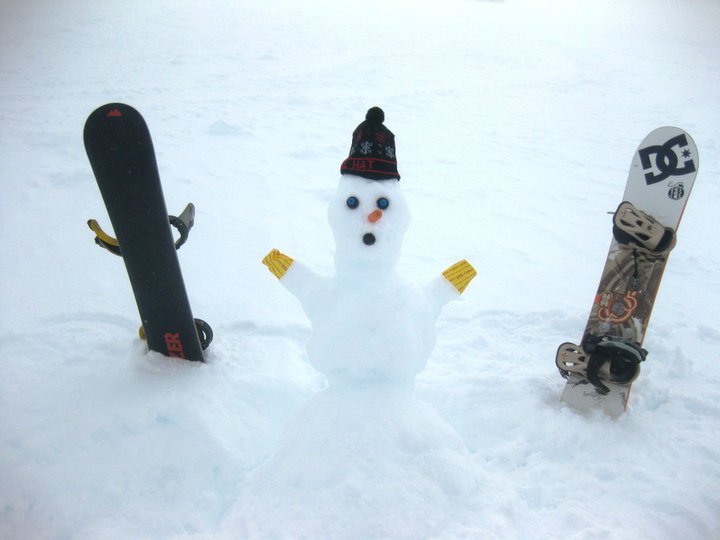
Besides winnebagos, hedges and sheep New Zealand has some really cool places to snowboard. As doing this trip for the second time round i think i have nearly perfected the NZ snow trip.
We had 3 people on the first trip (2008) and 6 people on this one. The saying is true “the more the merrier” however you may struggle to get everyone doing the same thing or up the mountain together.

ground work.

Itinerary

Fri 13th – Sydney – Christchurch (19:50 – 0:50AM JQ 151)
Sat 14th – christchurch – pick up snow hire / town
Sun 15th – Christchurch to Wanaka
Mon 16th – wanaka : cardrona (snow park)
Tue 17th – wanaka : treble cone (snow park)
Wed 18th – wanaka : treble cone (snow park)
Thu 19th – queenstown : the remarkables (snow park)
Fri 20th – queenstown : coronet peak (snow park)
Sat 21st – queenstown : the remarkables (snow park)
Sun 22nd – queenstown – christchurch / drop off snow hire
Mon 23rd – Christchurch – Wellington (14:45 – 15:35 JQ 268)
Tue 24th – wellington – rotorua (via Lake Taupo)
Wed 25th – rotorua – auckland
Thu 26th – auckland
Fri 27th – auckland
Sat 28th – Auckland – Sydney (15:25 – 17:05 JQ 204)


Car rental

Getting to and from the airport we used a hire a car from Hertz and Avis. In New Zealand we drove from Christchurch to Wanaka then to Queenstown using the ski package with Hertz which gives you one free lift pass per each day you hire the car. sweet as bro.
If you can try and get the AWD package, when we hired we missed out cause we left it too late to book, this will ensure you don’t need to put on chains when driving up the mountains on icy days.

Flights

We flew between Australia and New Zealand using jetstar

Accommodation

wotif was used to book the accommodation in NZ and all places were pretty good except in auckland where we got a futon for one of the beds which was also the lounge to watch TV. either book a bed for everyone in multiple rooms or be prepared to “take one for the team” every now and then (looking back, we did get some funny stories because of it!)
also if you are to use wotif they only release accommodation so many weeks in advance so do your research and get in when the rooms become available to avoid disappointment.
The following accommodation was chosen for each city.
Christchurch YHA
Was pretty happy with the YHA. Good location good facilities would book there again.
Brookvale Motel
would also book here again, walking distance from everything in Wanaka, nice rooms etc. Only thing was internet and the hot tub had to be paid for.

Coronet View Deluxe B&B and Apartments
reasonably close to central queenstown, would consider going back there if it was booked under someone else’s name (“,)
Quest Atrium (Penthouse)
nice hotel and good facilities however just a bit far out of town. I would look at booking something walking distance from cuba street next time.
Utuhina Hot Springs Lodge
considering the city smells like rotten eggs this place was OK if you like sleeping at your grandmas house. there could be some better places to stay but it had all of the things you need.
Bianco off Queen
staff here was not as friendly as other places stayed and it was such an effort to get a mattress instead of the futon since they are rented out furnished apartments, probably would look at booking somewhere else next time.


on the ground.

$$$$$

As always i find the best way to manage money in another country is just by working out the currency difference from a currency exchange and withdrawing it using a visa card from an ATM, you do end up paying a cash fee but the convenience is soo good!

Getting around

Since we had a hire car for the entire trip getting around was easy. I would recommend it since you get to see a lot more of NZ then if you had to rely on public transport or other people.

Snowboard hire

After checking out a few places to hire snow gear in Christchurch we ended up getting it frommcewings. I would recommend going straight here since they seem to have the latest gear and pretty much brand new! All the other places to be honest were quite rubbish.

Things to see and do

Below is a list of things that we did or would have liked to do, there could be better stuff to do at each place but this gives you an idea.
Christchurch
We found there wasn’t much to do in Christchurch for sight seeing (probably more so now since the earthquake) but the nightlife was pretty sweet. If your going out to party check out SOL Square
Wanaka
Queenstown
Wellington
Wellington was a nice city (i would say it is like Melbourne or San Francisco) we were only there for 1 night and it was a Monday so i could not really say what there was to see or do.
Rotorua

Auckland
Auckland is yet another large city (similar to Sydney) there is a few things recommend such as the sky jump or sky walk.

Cost

Note the below prices were split between 6 people but is calculated per person.
Flights to/from Australia = $289AUD (Jetstar)
Connecting flights = $40AUD (
Jetstar)

Accommodation = $661AUD (all places listed above)
Car Hire =  $513AUD (including 3 lift passes for the snow fields) + Fuel (
Hertz
)
Food
Pretty much the same price as Australia. Food on the ski mountains is quite expensive, I would recommend going to a supermarket and buying nut bars or something to snack on while your up there.
Snowboarding
Snowboard and boots hire for 9 days: $177 NZ
Mountain pass for Treblecone: $ 91 NZ
Mountain pass for Remarkables: $89 NZ
Mountain pass for Cardrona: $89 NZ
Mountain pass for Coronet Peak: $$95 NZ
Misc
Zorbing (3 rides): $96 NZ
Thermal park: $30 NZ
Maori dinner + show: $100 NZ

APPROX TOTAL PRICE = 2 Aussie G’s ($2000) + spending money ($1000 for food, partying and random expenses).

Final words.


If you’re keen to do a snow trip which is close to OZ but still feels like a holiday i would recommend NZ for sure. I would probably skip driving from Wellington to Rotorua if i went again since it was alot of driving for seeing not a lot. Time frame was definitely squeezed, if your after a slower paced one maybe double the time, fly or skip parts. All in all definitely a memorable holiday! Click the below link for pictures from the holiday!
facebook event for the trip

Exploring the Wonders of East Asia: A 14-Day Japan & South Korea Discovery

The Westerdam sets sail from Yokohama for a 14-day voyage that balances iconic cityscapes with hidden coastal gems. While many travelers s...